The Facts & Figures section is one of the most information-rich areas of Financial Suite. It includes: Subdivision Info, Demographics, Area Sales Trend Report, Area Sales Detail Report, Directions, Area Statistics, Commercial Sales Report, and Traffic Counts.
To access this section, click on your subject property to open the report and hover over the Facts & Figures tab. The various categories will appear:
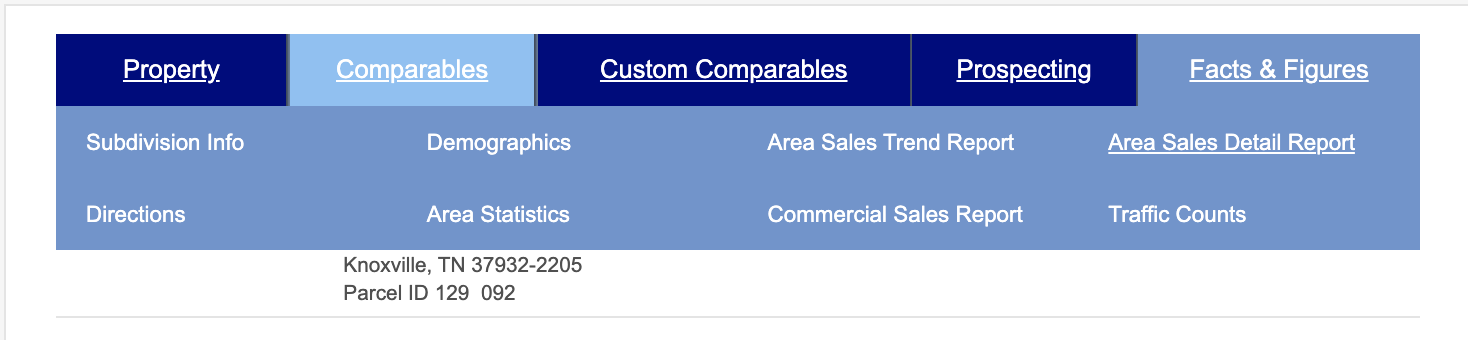
Many of our reports are powered by outside, reputable sources, such as our Traffic Counts tab which links to a state departments’ traffic statistics (when available).
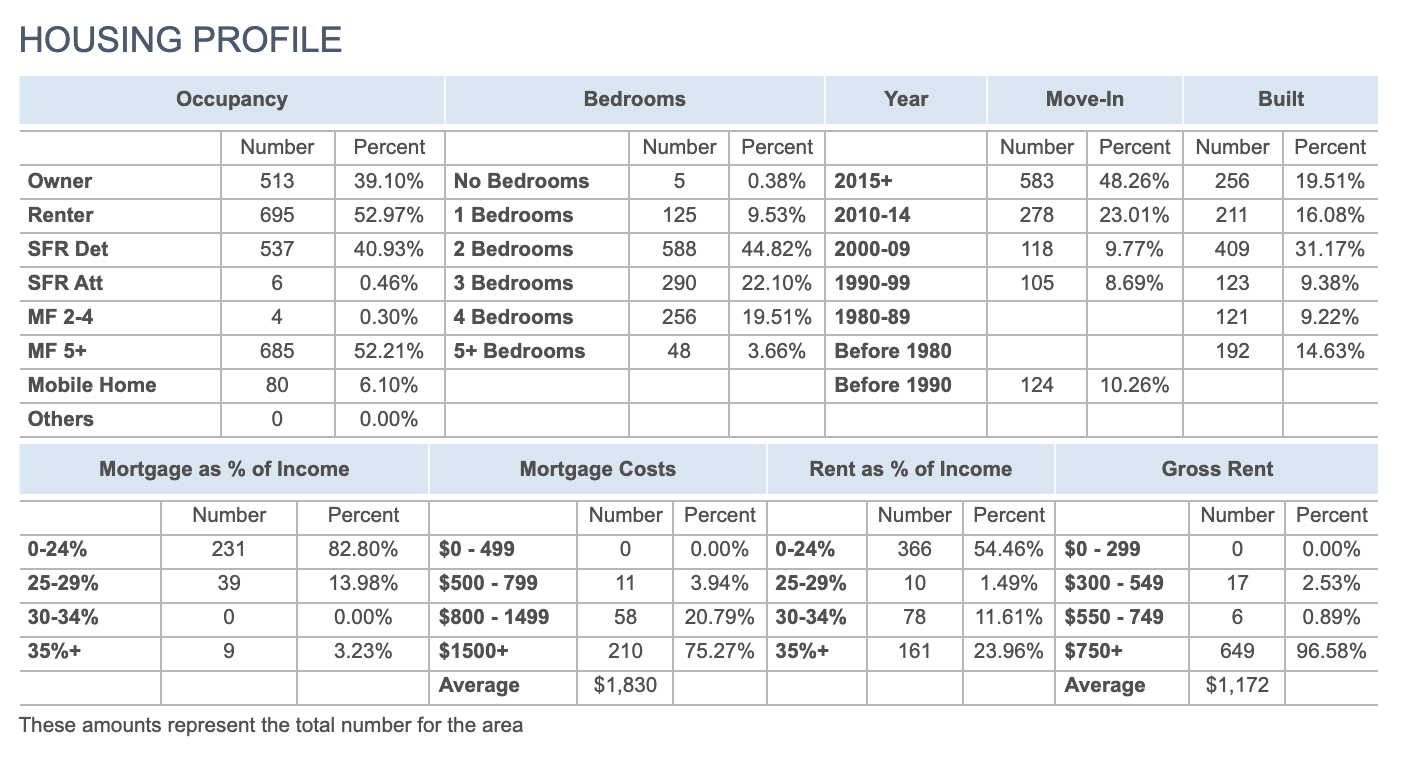
The Demographics section offers rich insights, such as this Housing Profile for a specific area:
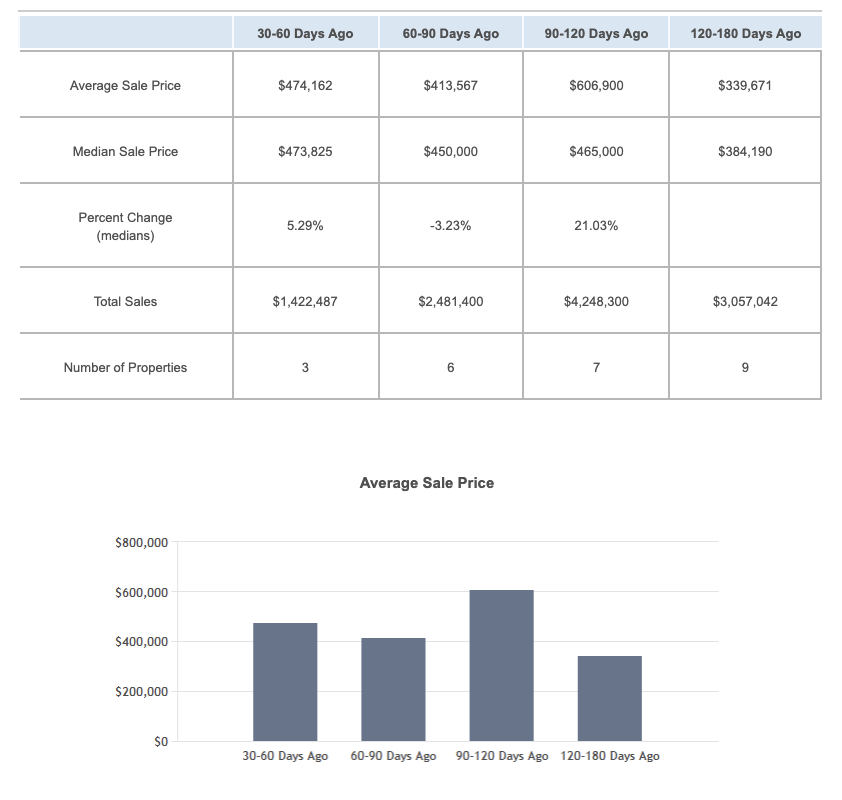
The Area Sales Trend Report provides charts that can be quickly reviewed to gauge average sales price, median sale price and so much more:
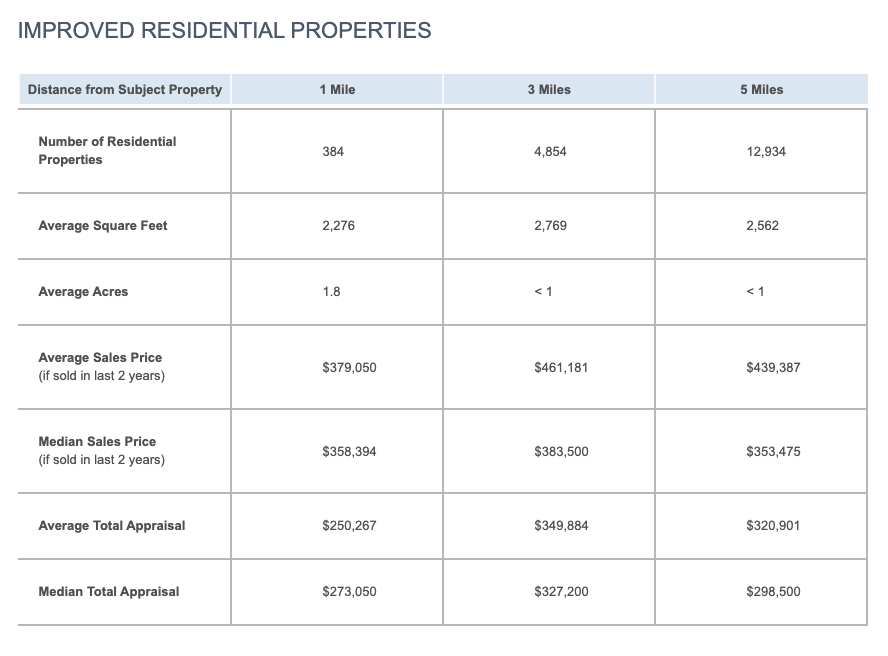
Under Area Statistics, you can get a quick snapshot of property insights, such as average square feet or median home price in the surrounding area:
These are just a few ideas to get you started.
Video Tutorial. We've developed a video to explain how to use Facts and Figures in your research. Check it out below.