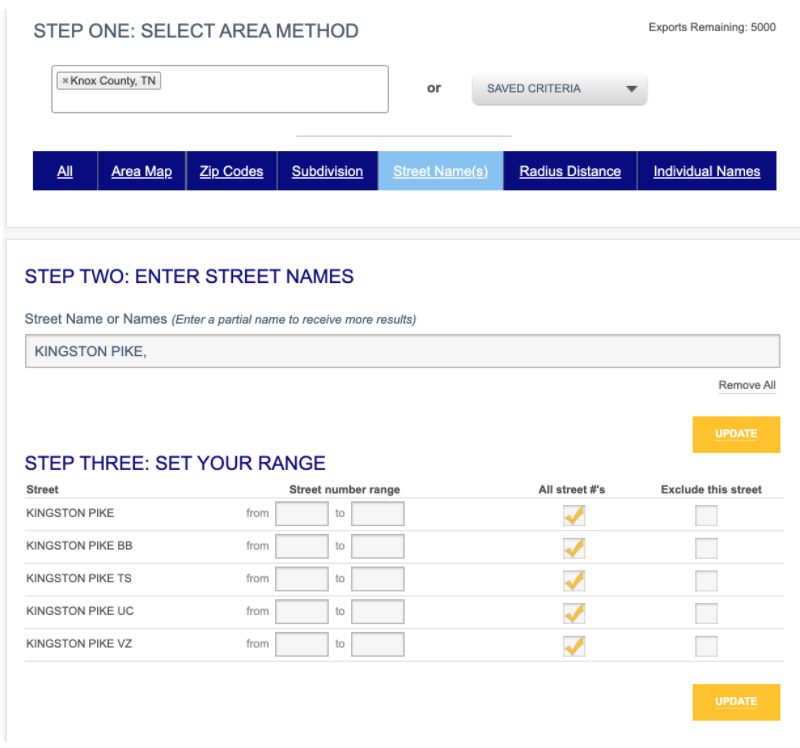
For this type of prospecting search, we will use the example of a search by street name. Open the Prospecting tab, select your county, select Street Name(s) in the blue bar and then begin typing the street name. Click UPDATE.
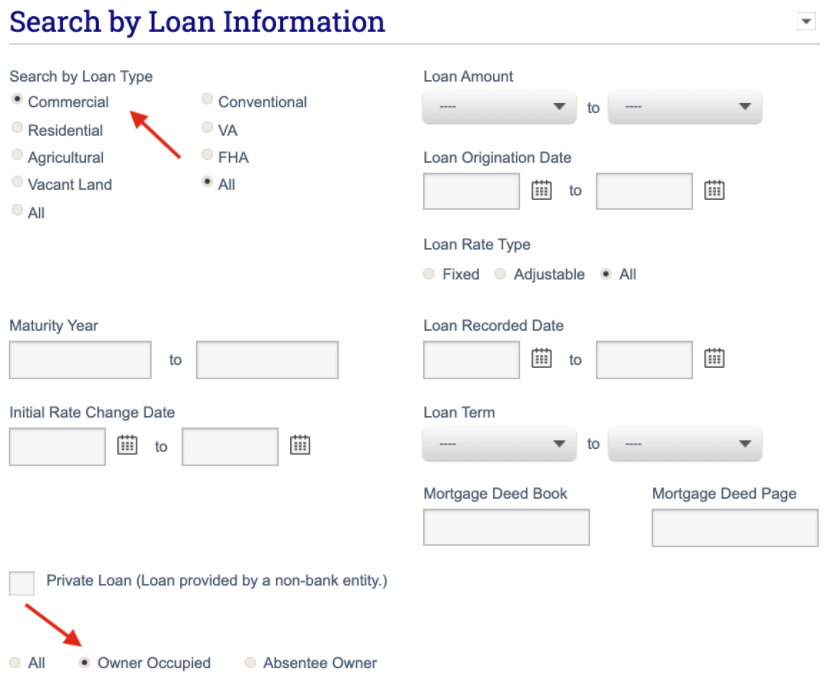
You can locate commercial owner-occupied properties by selecting the button next to Commercial under the Search by Loan Type section. Also, be sure to select the Owner Occupied button.
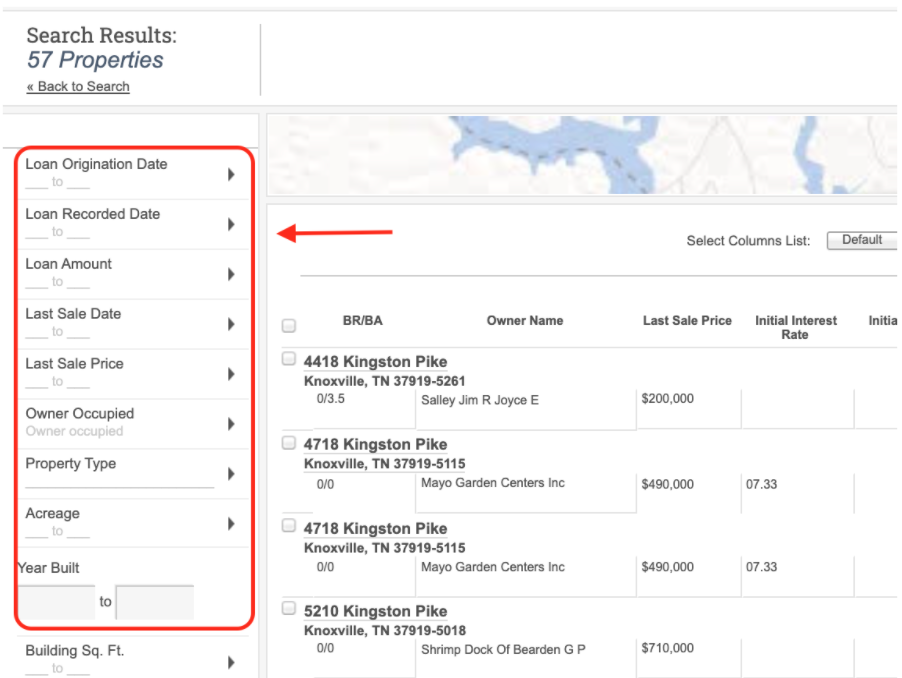
Once you have entered your criteria, click SUBMIT to retrieve results. From the results page, you will be able to sort the columns to suit your viewing preference. You can easily expand or narrow your results by adding additional criteria on the results page, as shown below.
Video Tutorial. We've created a video tutorial to explain how to identify owner-occupied properties. Check it out below.