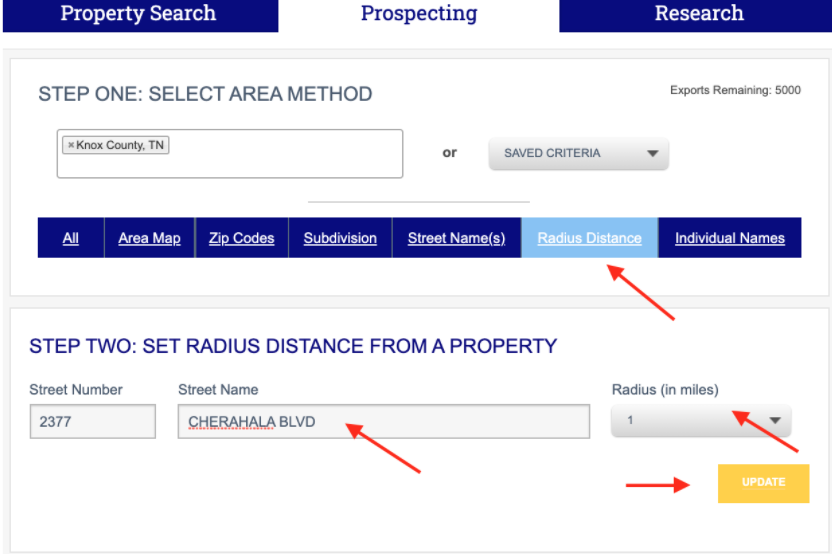
Open the Prospecting tab, enter your county, select Radius Distance in the blue bar and then begin entering the street address. Choose the radius in miles, and then click UPDATE.
You can easily expand or narrow your results by adding additional criteria on the results page. Simply select additional criteria in the options grid displayed on the left of your screen.