Financial Suite makes it possible to prospect for ARM loans by offering the initial interest rate of a residential ARM loan in the deed, as well as the date the rate will change. As a caveat, this information may not be available for commercial properties.
To start your prospecting search, choose the Prospecting tab and type the county(ies) in which you wish to conduct your search.
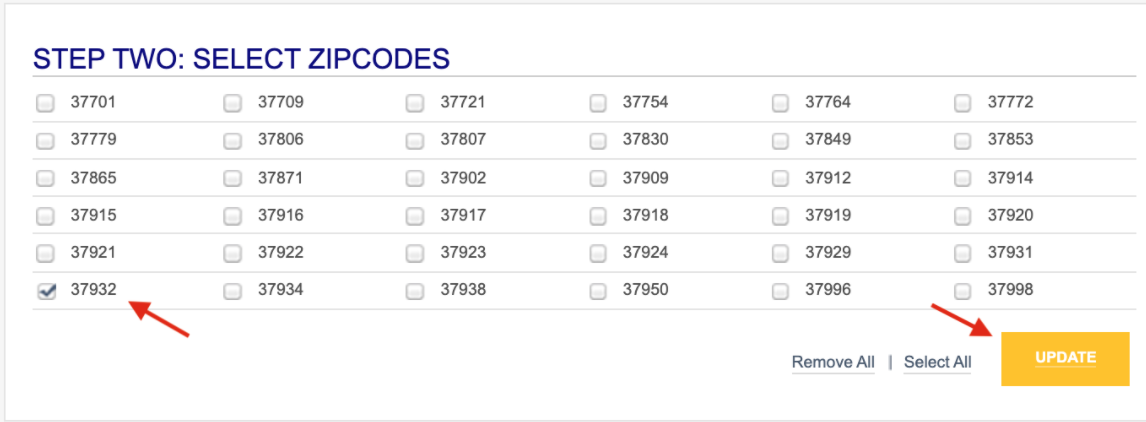
Next, choose which search method you would like to use and click UPDATE. We’ve chosen the zip code search in this example. But you may also search by any of the other criteria available.
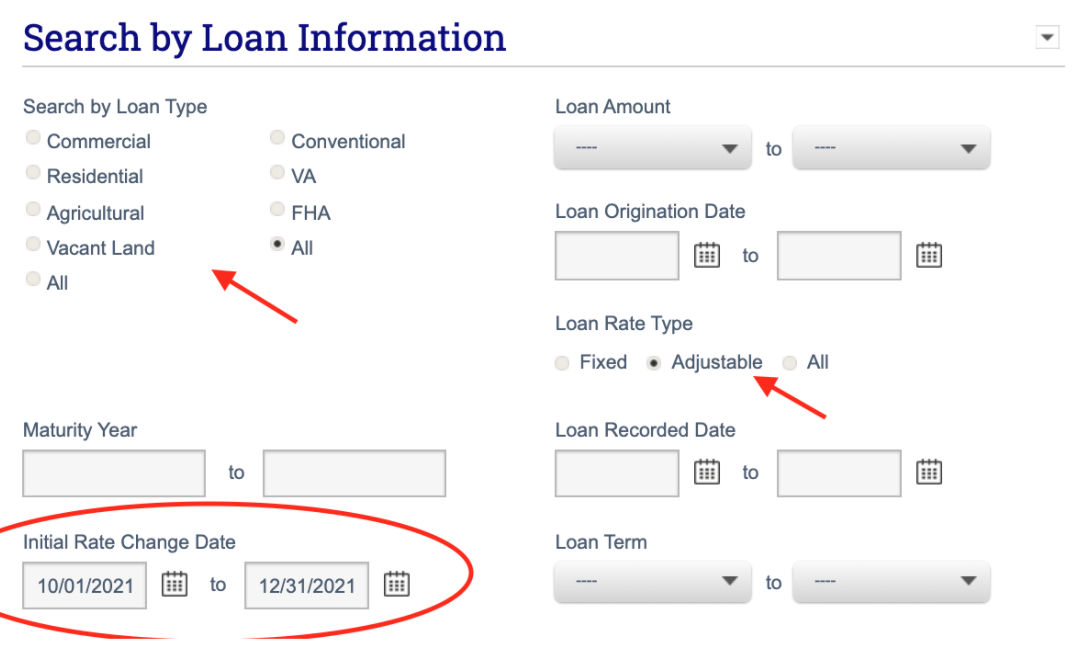
Then, choose the loan type you wish to search. Click on Adjustable under Loan Rate Type and enter the date range in the Initial Rate Change Date area.
(Note: We recommend choosing a date range that is a few months out from the initial rate change -- as homeowners within an earlier date range may already be considering refinancing options.)
Select SUBMIT.
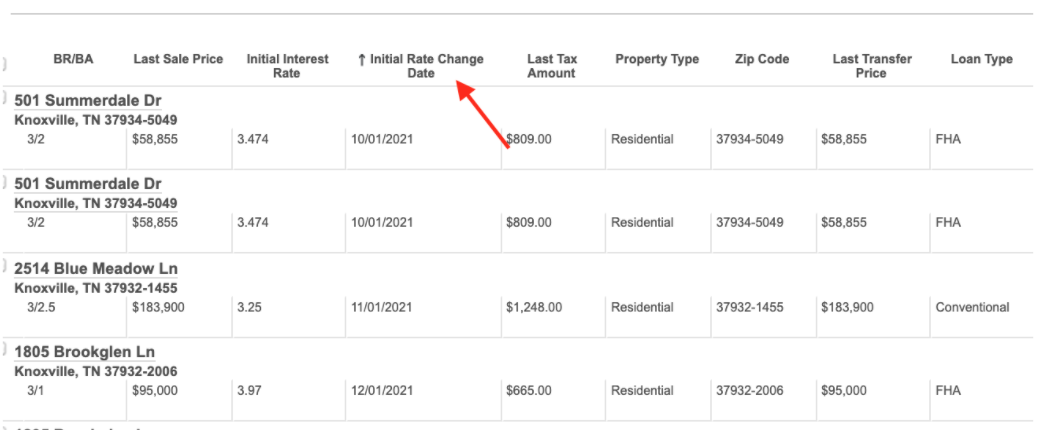
Your search results will appear and the default columns will appear. You may click on the column headers to sort by the Initial Rate Change Date. You can also click and drag the column headers to appear in a different order.
Pro Tip: When prospecting, consider prioritizing loan dates that would indicate a loan is more likely to be maturing soon. Generally speaking, adjustments are 3 to 5 years. Also, you are likely to create a better search experience by selecting either an Improvement Type or a Land Use, but not both. The county of origin determines which will produce more successful filters.
Video Tutorial: We’ve developed a video tutorial explaining how to conduct a prospecting search for ARMS. Check it out below.